
Written By: Develobiz Team,
Your website can be stunning. It can have beautiful graphics, professional photos, and perfectly crafted copy. But if visitors can’t figure out how to use it—if they get lost, frustrated, or confused—it’s like having a gorgeous storefront with a locked door.
User Experience, or UX, is the art and science of making your website easy, intuitive, and even enjoyable to use. It’s about seeing your site through your visitors’ eyes. A great UX builds trust and guides people toward becoming customers. A bad UX sends them clicking away to your competitor.
You don’t need to be a professional designer to spot the major UX issues on your own site. All you need is a fresh perspective and this simple 5-step checklist.
Step 1: The 5-Second First Impression Test
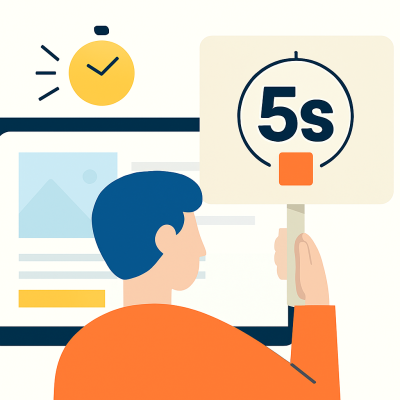
You have about five seconds or even less to tell a new visitor who you are and what you do. If they can’t figure it out, they’re gone.
Why it matters: Clarity is king. Your homepage is your digital handshake. It needs to be firm, confident, and clear.
How to audit it:
Open your homepage in a browser.
Ask a friend or colleague who isn’t familiar with your website to look at it for exactly five seconds.
After five seconds, close the tab and ask them two simple questions:
“What does this company do?”
“What is the one thing you should click on first?”
If they can’t answer both questions clearly and confidently, your homepage’s message is too vague or confusing. Your value proposition needs to be front and center, and your primary call-to-action (like “View Our Services” or “Get a Quote”) must be immediately obvious.
Step 2: The Mobile-First Mindset Check
Over half of all web traffic now comes from mobile devices. If your website isn’t incredibly easy to use on a phone, you’re failing the majority of your audience.
Why it matters: A poor mobile experience isn’t just frustrating; it actively damages your brand and your SEO ranking.

How to audit it:
Put your computer away.
Grab your smartphone and pull up your website.
Try to complete a key task. Can you easily find your contact information? Read a blog post? Navigate to a product page?
Pay attention to the details:
Are you pinching and zooming to read text?
Are buttons and links large enough to be easily tapped with a thumb?
Does the content fit neatly on the screen, or do you have to scroll sideways?
If you experience any friction, your users are too. Your mobile site should be a seamless, thumb-friendly experience.
Step 3: The Navigation & Clarity Walkthrough
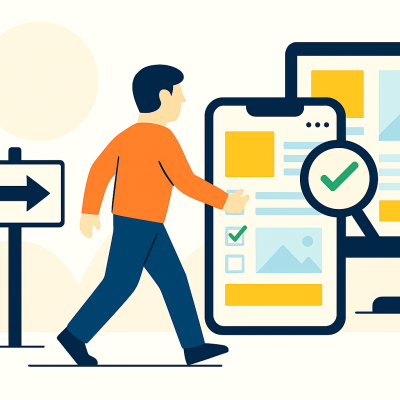
Imagine walking into a department store with no signs and no layout. You’d probably leave. Your website’s navigation is its signage. It needs to be logical and predictable.
Why it matters: Confusing navigation is the #1 reason users abandon a website. They can’t find what they’re looking for, so they assume it isn’t there
How to audit it:
Start on your homepage.
Look at your main menu. Are the labels clear and simple? (e.g., “Services,” “About,” “Contact” is better than “Our Solutions,” “The Company,” “Get in Touch”).
Now, try to find a specific, important piece of information. For example, your pricing page or your portfolio.
Count how many clicks it takes. The golden rule is three clicks or less. Was the path you took logical? Did you ever feel unsure about where to click next?
If your navigation is cluttered with too many options or uses confusing jargon, it’s time to simplify.
Step 4: The "Call to Action" (CTA) Hunt
Every page on your website should have a purpose. A Call to Action (CTA) is the button, link, or instruction that tells the user what to do next. Without a clear CTA, your page is a dead end.
Why it matters: CTAs are the bridge between browsing and acting. They guide your user down the path to becoming a lead or a customer.

How to audit it:
Go to a key page on your site, like your main Services page.
Scan the page. Is there one primary action you want the user to take?
Ask yourself: Is the CTA button a different color from the rest of the page? Does the text create urgency or clarity (e.g., “Get My Free Proposal” is better than “Submit”)? Is it located “above the fold” (visible without scrolling)?
If you have to hunt for the next step, your users won’t bother. Make your CTAs visually distinct and impossible to miss.
Step 5: The Speed & Patience Test
We live in an on-demand world. If a website takes more than a couple of seconds to load, we get impatient. In fact, a one-second delay in page load time can lead to a 7% reduction in conversions.
Why it matters: Slow websites kill conversions and are penalized by search engines like Google.
How to audit it:
Use a free tool like Google PageSpeed Insights. Simply enter your website’s URL, and it will analyze your site’s performance on both mobile and desktop.
It will give you a score and, more importantly, a list of recommendations for what’s slowing you down (like large images or bulky code).
Also, just feel it. Click through your own site. Does it feel snappy and responsive? Or do you find yourself waiting for pages to appear?
A slow site is a leaky bucket. You can spend all the money in the world on ads to get people there, but they’ll just pour right out if it doesn’t load fast.
Your Next Step
Going through this checklist will give you a clear-eyed view of your website’s strengths and weaknesses. You might find a few quick fixes you can implement yourself.
But often, these issues are symptoms of a deeper problem. If you’ve gone through this audit and found more questions than answers, or if you know your site needs a professional touch, that’s where we come in. Great UX isn’t just a checklist; it’s a strategy. We’re here to help you build a website that doesn’t just look good, but works beautifully for your business and your customers.